

Reminders: Before signing up, be sure you already have created
a free email account at Yahoo Mail or Gmail (or other free email
service providers). If not then go ahead and create one first.
Be sure to have a separate email account that you can use for your SolidTrust Pay and other payment processors only, and another email account for communicating with family and friends.
Step 1: Click here to go to the SolidTrust Pay official website and click the purple Sign Up Now link, or choose Personal Account.

Step 2: Fill up the online registration form with your real info, accept their Terms and Conditions, and click the blue SIGN UP button. Save in notepad or take note of your secret question and answer for future reference.
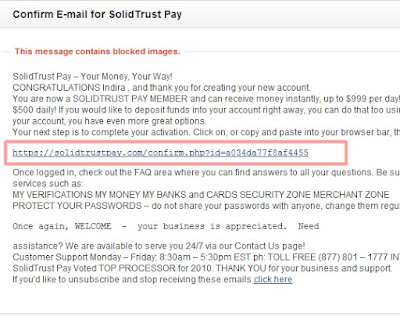
Step 3: Log in to your email (Yahoo Mail or Gmail) account and click on the
validation link in the email sent by SolidTrust Pay. Check your Spam folder if
it's not in the Inbox.
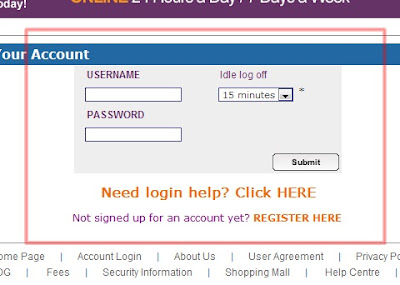
Step 4: Enter your Username and Password and then click the Submit button.
Step 5: Enter the Security Question.
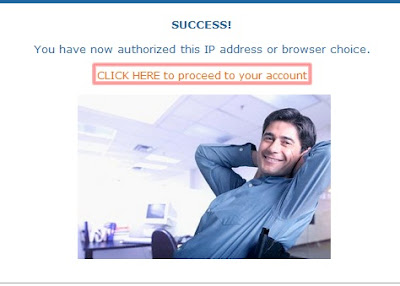
Step 6: Click "CLICK HERE to proceed to your account".
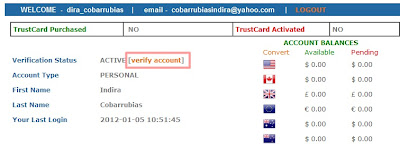
Step 7: Click [verify account].

2. Go to SMART Menu
3. Choose SMART Money
4. Choose Internet Txn
5. Choose Unlock
6. Choose the name of the card you want to unlock
7. Enter your W-PIN, a message will appear confirming your request
9. You can now add funds to your SolidTrust Pay account.
Here's a good SolidTrust Pay Set Up Video Tutorial if you prefer watching tutorials instead.
Be sure to have a separate email account that you can use for your SolidTrust Pay and other payment processors only, and another email account for communicating with family and friends.
Step 1: Click here to go to the SolidTrust Pay official website and click the purple Sign Up Now link, or choose Personal Account.
 |
| SolidTrust Pay Sign Up And Verification Tutorial |
Step 4: Enter your Username and Password and then click the Submit button.
Step 6: Click "CLICK HERE to proceed to your account".
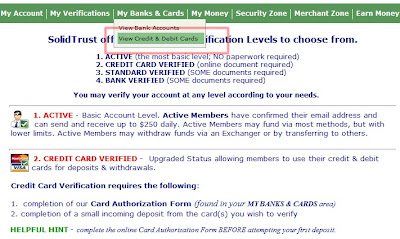
Step 8: Click on "My Banks & Cards" and click "View Credit & Debit Cards".
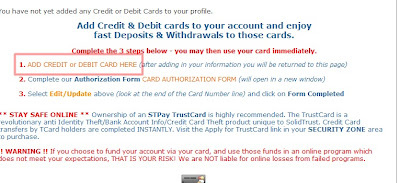
Step 9: Click on "ADD CREDIT or DEBIT CARD HERE" hyperlink.
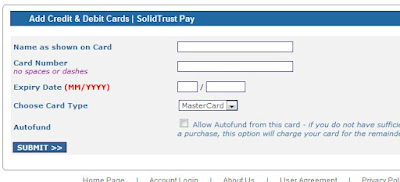
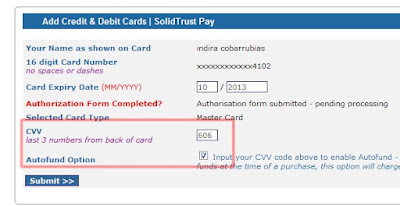
Step 10: Enter your card details. Any card that has MasterCard or VisaCard logo can be used.
NOTE: CVV refers to the last three (3) digits at the back of your card.
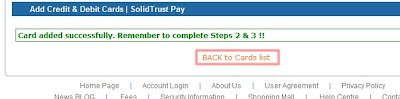
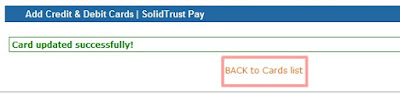
Step 11: Click "BACK to Cards list" after card added successfully.
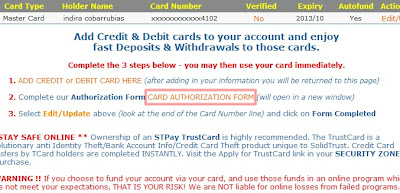
Step 12: Click "CARD AUTHORIZATION FORM".
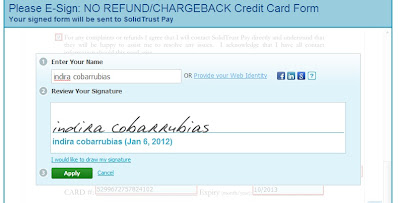
Step 13: Check all, enter all the details, but LEAVE THE NAME BLANK. Only enter details with those with a blue color.
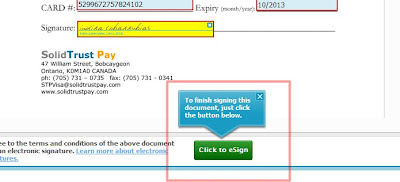
Step 14: Click "Click to eSign" button.
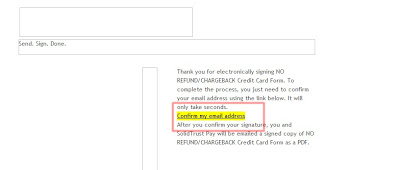
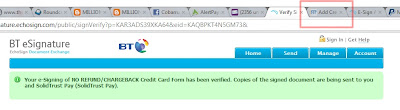
Step 15: Log in to your email, click on the Echo Sign message, and click "Confirm my email address".
Step 16: Go back to SolidTrust Pay website.
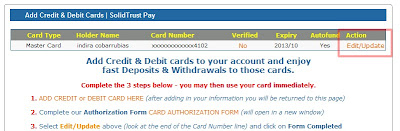
Step 17: Click "Edit/Update".
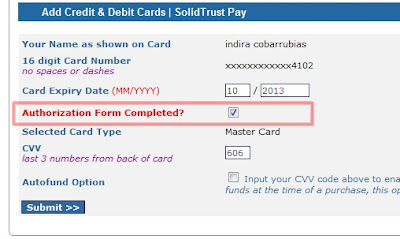
Step 18: Check "Authorization Form Completed" then click "Submit".
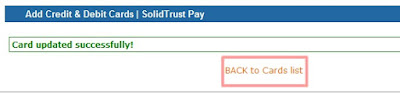
Step 19: Click "BACK to Cards list".
Step 20: This is what you will see, under Verified -> Pend just wait until SolidTrust Pay verifies it. You will also see under Autofund -> No ---we have to
change this so you can fund it immediately.
Click "Edit/Update".
Step 21: Re enter your CVV and click "Submit".
Step 22: Click "BACK to Cards list" again.
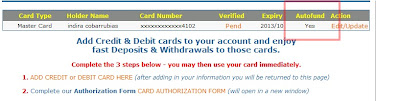
This is what you should see: Autofund -> Yes
Your card is now connected, and you can then add funds to your account.
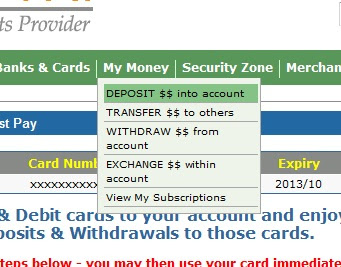
Step 23: Mouse over to "My Money" and click "DEPOSIT $$ into account".
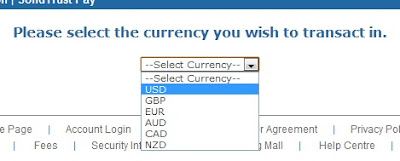
Step 24: Select Currency, enter the amount, then choose Credit Card or Debit Card. Enter your second password and then click "Deposit Funds".
NOTE: Deposit Funds is not instant. You have to wait until it is processed.
That's it!
------------
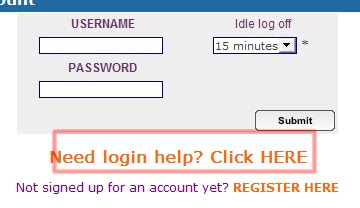
NOTE: If you have trouble logging in, just click the one shown below.
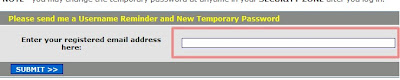
Enter your email.
Log in to your email and check the email sent by SolidTrust Pay. Copy the password given in the message. Log in to your account. That's it.
NOTE: For SMART CARD users, UNLOCK your Smart Money Card using your mobile phone:
1. Send INTERNET to 343 through text message (to enable Internet Purchases)2. Go to SMART Menu
3. Choose SMART Money
4. Choose Internet Txn
5. Choose Unlock
6. Choose the name of the card you want to unlock
7. Enter your W-PIN, a message will appear confirming your request
8. You will receive a text message that your card is now ready/unlocked
for online purchases. Make sure that's your Smart Money Card.9. You can now add funds to your SolidTrust Pay account.
Here's a good SolidTrust Pay Set Up Video Tutorial if you prefer watching tutorials instead.


